
Maths notebook · grades 3–8 · tablet
When forming the character is harder than the maths
Characters are chosen, not drawn — big keys instead of pen control, fractions and roots in one tap, and squared paper that holds the columns in a long division. MathIt takes over forming the characters, not the thinking. The student does the calculating, never the app.
- No ads
- No account
- Works offline
- Hand in as PDF
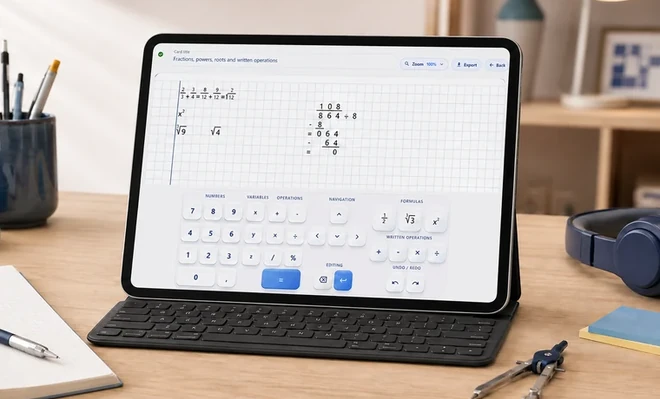
Dysgraphia · graphomotor difficulties · slow handwriting
When this helps
- Writes the same exercise out a third time, because nobody could read the first one
- Gets the arithmetic right, but the digits slip out of the column and the answer comes out wrong
- Spends longer on a single fraction than on the whole exercise
- Cannot keep up with the notes — the class is already three lines ahead
- Hands the work in and is told it cannot be marked
For a student with dysgraphia, with graphomotor difficulties or with slow handwriting — and anywhere handwriting is hard to read.
It is not a shortcut. It removes an obstacle that was never the point of the exercise.
The teacher can read the work and will not mark it down for the handwriting.
The writing decides the answer
The same division, twice. On the left the arithmetic is faultless.
On paper
a guess was needed here —
and it came out a 6
Comes out 139 instead of 138. The circled character was read as a 6. Every step after it is correct arithmetic on the wrong number.
In MathIt
nothing to guess here
The same calculation, written two ways — switch and compare.
Columns stay put
One character per square. Nothing slides half a place.
No rubbing out
Fix a step without restarting the page.
Still there tomorrow
Every exercise is a card you can find again.
From a blank card to handed in
Three steps, and nothing to set up in between.
-
1
Open a card
Every exercise gets its own sheet of squared paper.
-
2
Write with the maths panel
A fraction, a root and a power arrive as a ready template, a written operation as a ready structure. The student fills in the blanks.
One pass, nothing rubbed out. Sped up five times — the amber ring marks each tap. One card, four lines. Sped up five times — the amber ring marks each tap. the empty template lands on the sheet —
the student only fills it in -
3
Keep it, or hand it in
Search the archive, star what matters, export as image or PDF.
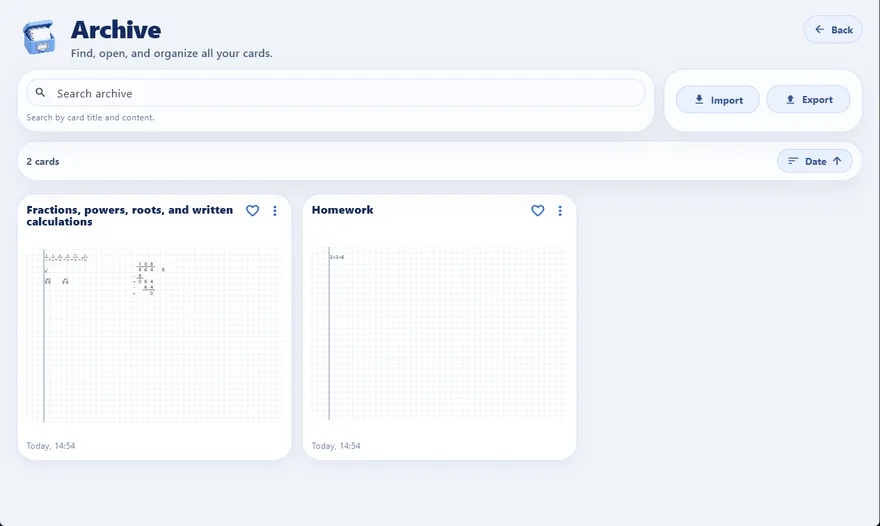
The finished work goes in as a PDF or an image.
The teacher does not need MathIt.
Designed for one subject
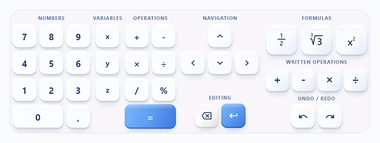
A maths panel is far more than just a number pad
Designed from the ground up for one subject: the layout, the order and the size of every key are worked out so that using it takes no thought. Eight sections — everything needed sits right next to the page. Nothing to look for, nothing to switch.
-
Operations
The division sign is a division sign, not a slash pretending to be a fraction bar. The line ends up looking like an exercise book, not like a spreadsheet.
-
Formulas
A fraction, a root and a power arrive as a ready scheme: the empty fields already stand where they belong and the child only fills them in. The page keeps the form, the child keeps the content. See it in the recording →
-
Written operations
Each of the four has its own fitted structure — the child does not rebuild it every time and puts the attention into the calculation itself. See it in the recording →
The panel is meant for maths only. Ordinary text — a card title, the wording of a task — is typed on a physical keyboard connected to the tablet, so that nobody has to switch between keyboards or have one cover the other.
Guidance inside the app
Nobody is left alone with a new app
From the very first screen MathIt leads the way. Short walkthroughs show step by step how to start a page, write a fraction or work a long division — and the app remembers where the child stopped.
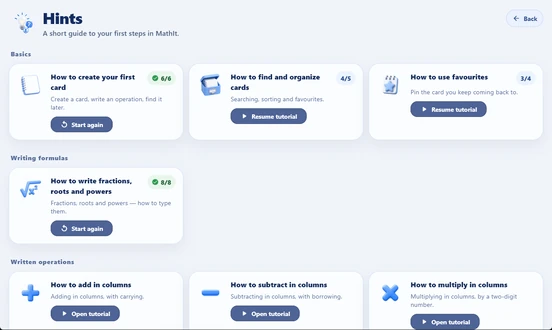
The hints screen is longer — this is the top of it.
Your tablet
Your settings
Pick a look that is easy on your eyes. Move the keyboard to wherever your hand rests. Your cards are yours — and they never leave the tablet.
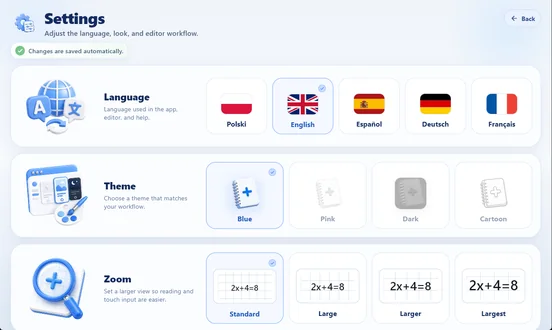 five languages
four looks
four text sizes
five languages
four looks
four text sizes
Price does not decide who gets the tool
A tool meant to level educational chances cannot be available only to those who can afford it. MathIt is free wherever the price would be an obstacle — no paperwork, no forms, no explaining yourself.
Until 30 November 2026 the app is free for everyone, so codes are not needed for anything yet. Clinics and schools will receive licences and a pool of codes — together with instructions — before the paid period begins.
Clinics
Licences for therapists and a pool of codes to hand out. The therapist knows who needs the tool and decides alone.
Schools
A learning support teacher receives a licence and codes for the pupils they work with.
Families
If the subscription is too much for you, write to us. We will find a way. We do not ask why.
Where this is going
What comes next
Plans, not promises — but this is the direction.
Geometry
Shapes and constructions on the same squared paper.
Secondary school
Whether the same notation carries into older years is being looked at.
iOS
An iPad version is planned.
What happens after 30 November 2026
Pricing
Until the end of November the app is completely free. After that, one thing becomes paid: writing and editing pages. Everything already written stays available — permanently and at no cost.
Monthly
$6.99
7 days free to start
Yearly
$44.99
that is $3.75 a month
30 days free to start
Full terms for parents: what stays free,
what happens when it lapses and how to cancel →
Write to us
Ask about anything — before you install or long after.
We are here to help, to advise, and to listen.
If it is about how the app behaves, the report form inside the app is the faster route — it is under Help.

A page anyone can read
For the student who knows how to do it, and keeps losing marks on the handwriting.

Requires a tablet with a 7-inch screen or larger.